
Keep your Binance P2P ads where buyers look
P2P Trade Bot is a repricing bot for Binance P2P merchants. Every few seconds it reads the order book your ad competes in and sets your price one tick better than the ad you chose to beat, stopping at the limits you set. It runs on your own computer or server.
One payment. Windows, macOS, Linux and a server edition. Pay with Binance Pay or USDT.
What it does
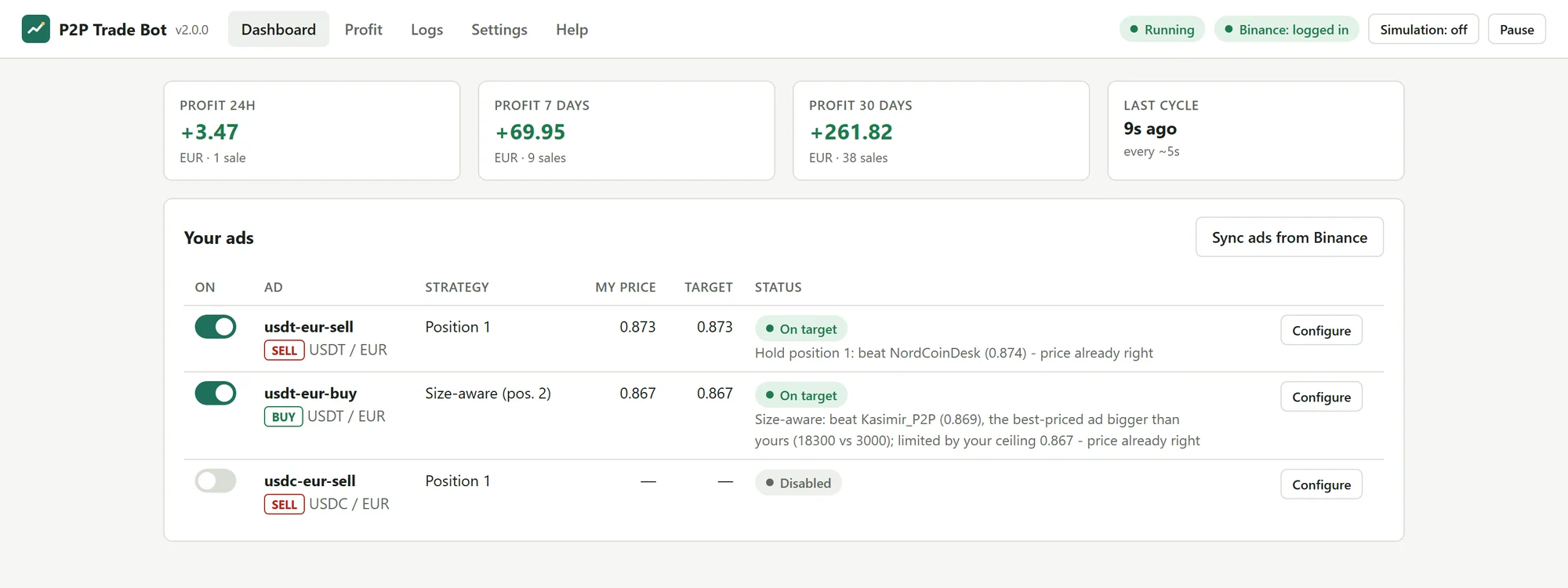
Holds the rank you pick
Choose a target position. Position 1 is the best price on the page; 2 or 3 keeps you on the first screen with more margin. The bot finds the ad sitting there and prices one tick past it. You can also name a competitor and follow that advertiser instead.
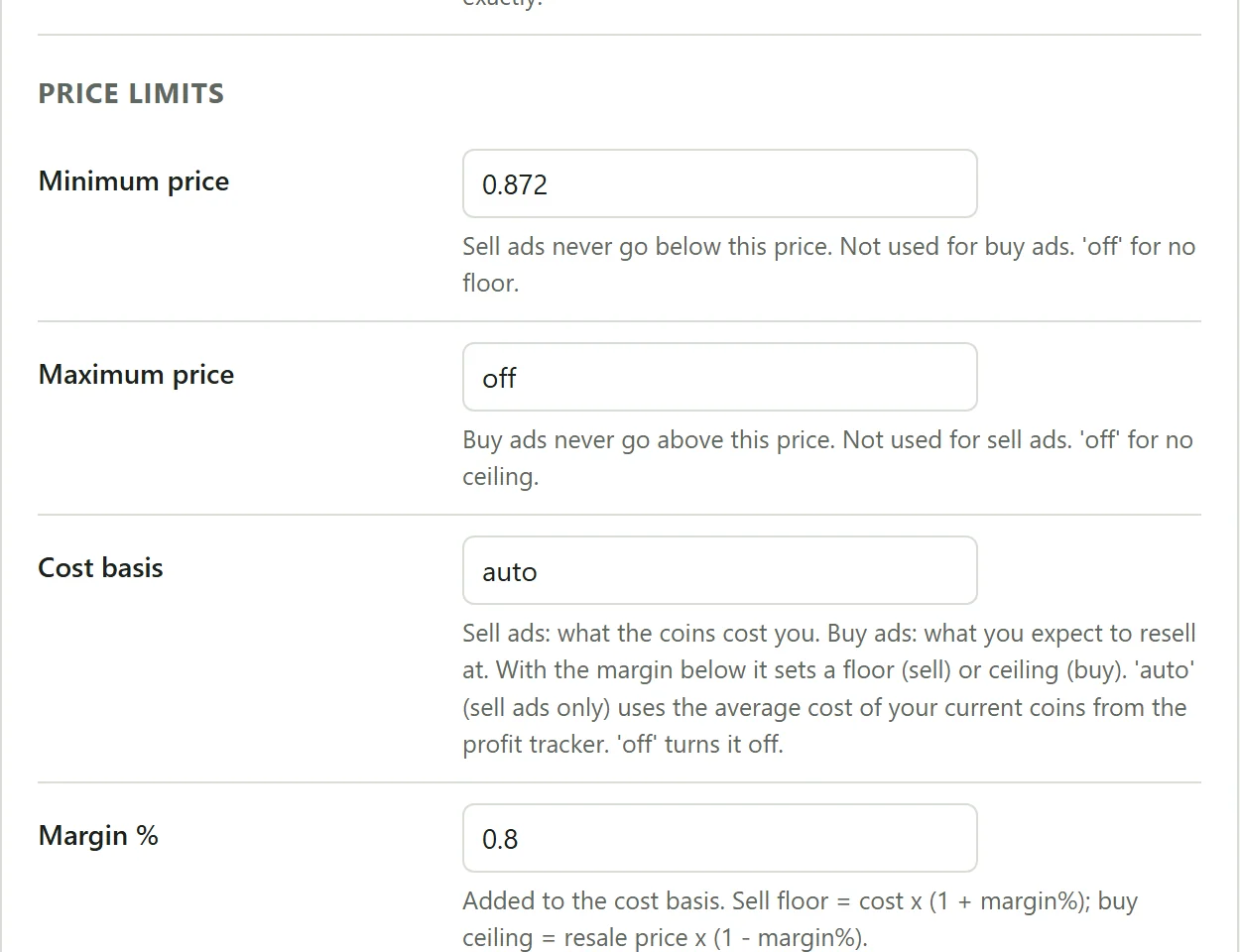
Give sell ads a floor and buy ads a ceiling: a fixed price, or your cost basis plus a margin. The cost basis can come from your own purchase history. When the market moves past the limit, your ad stays listed at the limit instead of chasing it.
Shows you the price before it posts it
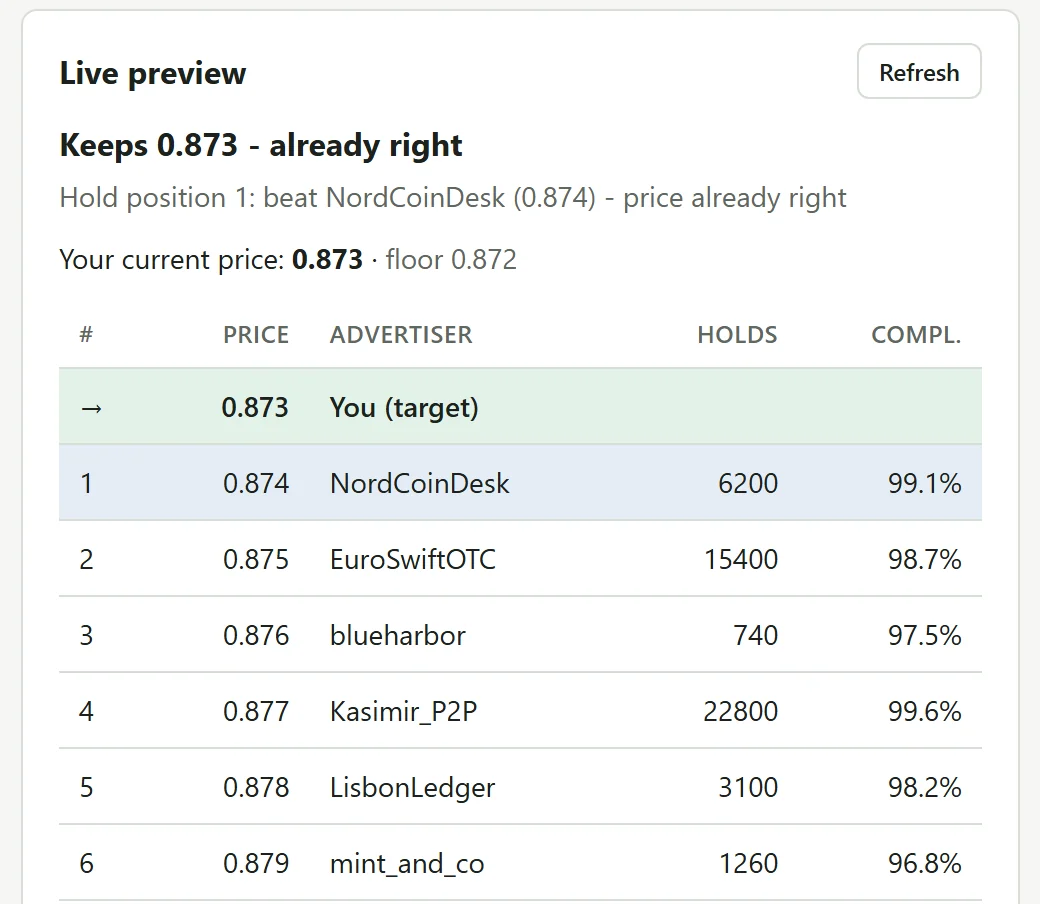
Each ad has a live preview: the order book after your filters, the ad the bot is aiming at, and the price it would post. Simulation mode runs the whole engine without changing anything on Binance, so you can watch it for a day before it trades.
Tracks what each sale earned
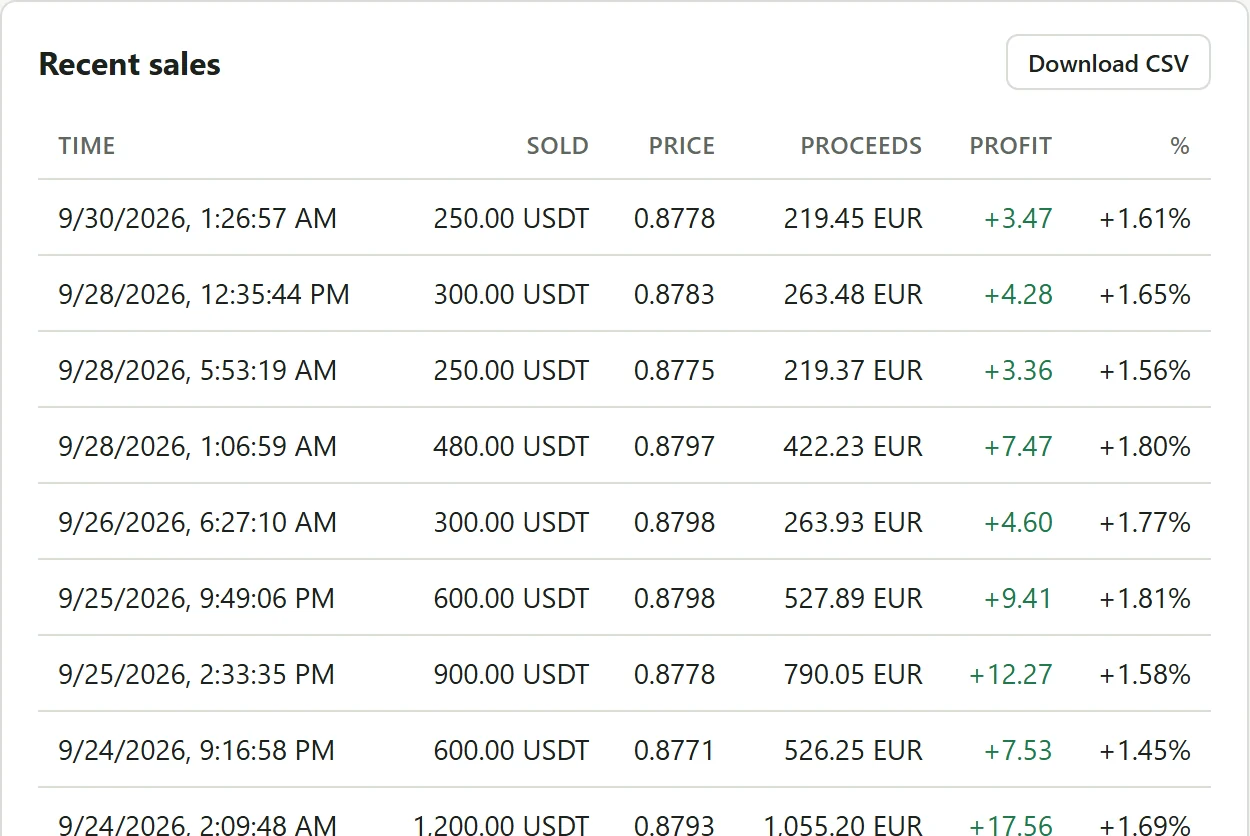
Completed orders are matched first in, first out, with Binance fees included, so every sale shows its profit against what that crypto cost you. You get totals for the last day, week and month, a CSV export for your books, and a Telegram message on each sale if you want one.
Works from Telegram
Connect your own Telegram bot and you can change any setting, pause everything, check profit or log back in to Binance from the chat. It tells you when your session ends, and when an ad drops under the 100 units Binance needs before it accepts price changes. Once you top the ad up, it carries on by itself.
Who counts as competition
Many ads on the list aren't competing for your customers at all. These filters decide which ones count, separately for each of your ads.
- Order size
- Compete only with ads that accept an order of your size. On auto it follows your ad as it sells down.
- Payment methods
- Skip ads that share no payment method with yours.
- Completion rate and order count
- Ignore new or unreliable advertisers.
- Outlier filter
- A single bait ad far from the median price can't drag yours down.
- Idle advertisers
- Leave out advertisers who have been offline for a while (20 minutes by default).
- Size-aware mode
- Compete only with ads holding more inventory than yours. Smaller ads can't fill the large orders anyway.
- Ignored advertisers
- Nicknames the bot never reacts to.
- Order limits
- Drop ads whose order range doesn't overlap yours.
Where it runs
- Windows 10 and 11
- Run
install.bat, thenstart.bat. The control panel opens in its own window. - macOS and Linux
- The same panel, installed with one script. On a Mac you double-click
install.command. - Server
- Docker on any Linux VPS, for ads that keep running while your computer is off. The panel is served over HTTPS behind a password, and Binance logins happen in a browser window inside it.
Needs Python 3.10 or newer and Google Chrome. The installer checks both and fetches what it can.
Setup
- Download your edition and run the installer.
- Start the bot and log in to Binance in the Chrome window it opens, as you would on the website. The session stays on your machine.
- Sync your ads, give each one a strategy and a price limit, check the preview, and switch it on.
What it leaves alone
The bot changes one thing: the price of the ads you switch on. Amounts, payment methods, terms and order limits stay as you set them on Binance. It doesn't create or delete ads, and it never touches orders, chats or payments.
You don't give it API keys or withdrawal rights. It logs in with your normal Binance web session, which stays in the bot's folder on your machine. The only services it talks to are Binance and, if you connect it, your own Telegram bot. We never see your data.
One price, every edition
$490 once
- Windows, macOS/Linux and Server editions
- Full Python source, yours to read and change for your own use
- Updates for version 2
- Setup help on Telegram
- One person or business, any number of your own machines
Paying
You pay in USDT, either with Binance Pay to our Binance ID or as a TRC20 or BEP20 deposit. The site confirms the payment by itself, usually within a minute, and your downloads open straight away. An email with a sign-in link follows, so you can come back for updates.
Refunds
If the bot does not run on a supported system and we can't fix it together within 7 days, you get your money back. Refund policy
Questions
Do I need to know how to code?
No. You install it with a script and set it up in the control panel. The Python source is included if you want to change something, but you never have to open it.
Does it need my Binance API keys?
No. It works through your normal Binance web session. You log in once in a Chrome window the bot opens, and the session is saved in the bot's own folder on your machine. There is no API key with trading or withdrawal rights that could leak.
Can it lose me money?
It only sets prices inside the limits you give it. Set a floor for sell ads and a ceiling for buy ads, or use your cost basis plus a margin, and it will not price past them. Start in Simulation mode and watch the live preview before you let it trade.
Which ads does it work with?
Buy and sell ads, for any asset and fiat currency Binance P2P lists, and as many ads as you run. Each ad has its own strategy, limits and filters.
Do I need a VPS?
No. It runs on your own computer while that computer is on. If you want it running around the clock, the Server edition installs it on a Linux VPS with Docker.
Is it a subscription?
No. You pay $490 once. Updates for version 2 are included.
How do I pay?
In USDT: with Binance Pay to our Binance ID, or as a deposit on TRC20 or BEP20. The checkout page shows the exact amount and confirms the payment by itself, usually within a minute.
What happens when Binance changes its website?
A change on Binance's side can stop the bot until it is updated. Version 2 updates are included and appear in your account as soon as they are released.
Can I resell it or run it for clients?
No. The license covers your own trading, for one person or one business, on any number of your own machines.
Anything else: message @NFila69 on Telegram.
Guides
- How Binance P2P decides which ads buyers see firstPrice sets the order, but the buyer's filters decide which list you are ranked in. What that means for the position you aim for.
- What a Binance P2P repricing bot does, and what it can't doHow automatic repricing works for Binance P2P ads, cycle by cycle, and the limits you should know before running one.
- Binance P2P error 083762: why your ad's price won't change below 100 unitsBinance rejects every price edit on an ad with less than 100 units left. What the error means, why a bot seems stuck, and what to do.
- Undercutting by one tick without starting a price warHow to stay ahead of competing P2P ads while protecting your margin, with floors, ceilings, cost basis and a sensible target position.